Redirect chains after a site migration: how to check them
Search engines, bookmarks and backlinks still use your old addresses. How to collect them, test every hop in bulk, read the results and fix the chains a migration leaves behind.
 CEO of Rookflare
- Published
- Reading time
- 5 min read
Key takeaways
- Test the list of old URLs, not the new site.
- A good redirect is one hop, with a 301 or 308, to the equivalent page; keep it for at least a year.
- Sending every old URL to the home page throws away what those pages had earned.
- Most chains come from protocol, host and path rules in separate layers; map old URLs straight to the final address.
- Update internal links, canonicals and the sitemap so nothing on the new site points at an old URL.
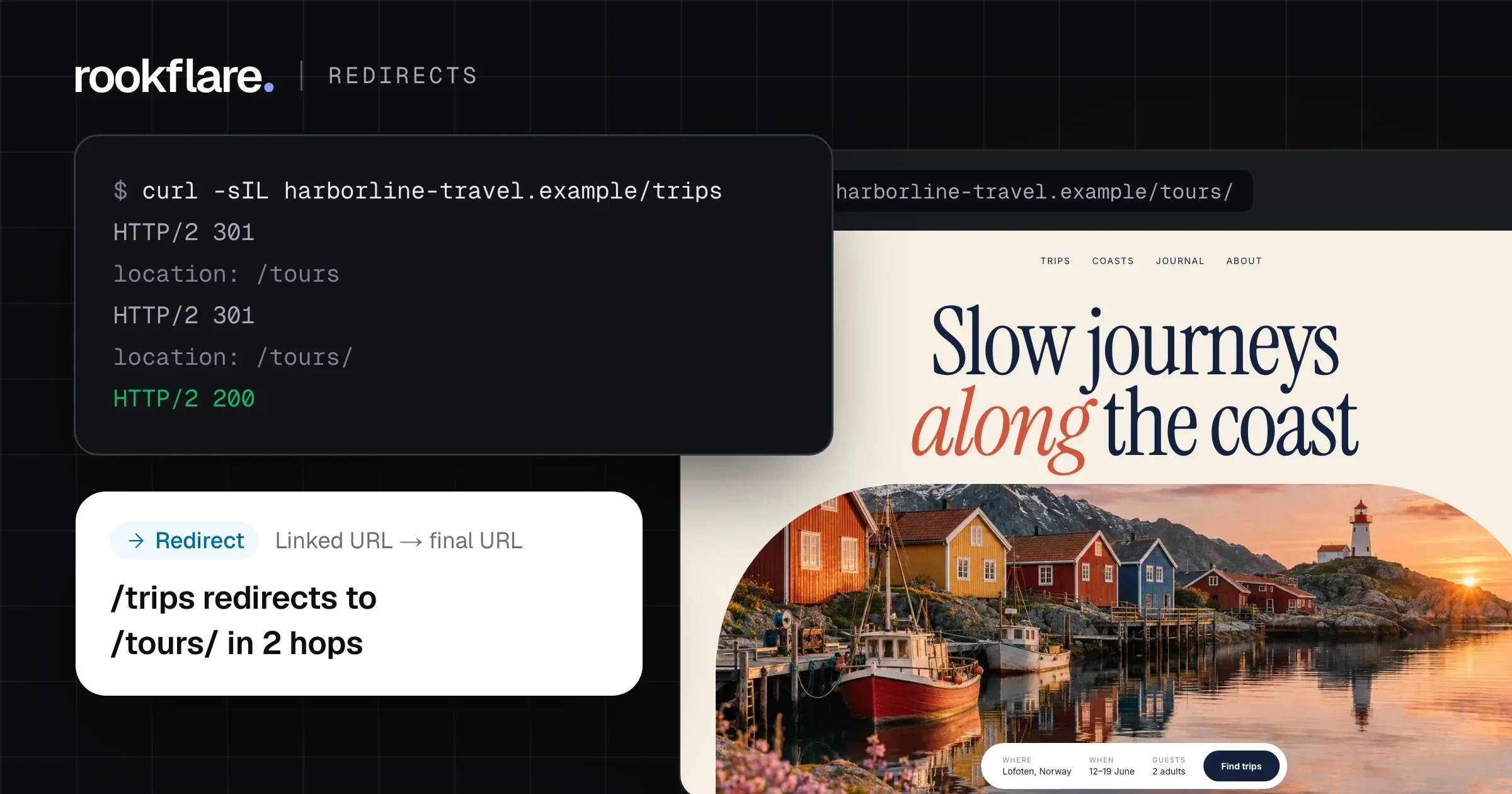
After a site migration, test the old URLs, not the new site: each old address should answer with one permanent redirect to its equivalent page. Chains, temporary codes and blanket redirects to the home page are the usual leftovers. Collect the old URLs, test every hop in bulk, then fix the rules that produced each bad result.
What a correct migration redirect looks like
Google’s documentation sets the bar, and four rules follow from it:
- One hop. Google’s crawlers follow up to 10 redirect hops, but Google’s site move guide recommends redirecting straight to the final address. When that is impossible, keep chains to ideally 3 hops at most.
- A permanent status code. 301 and 308 are permanent. Google’s HTTP status code guide treats them as a strong signal and 302 or 307 as a weak one.
- The equivalent page. The site move guide warns against redirecting many old URLs to one irrelevant page such as the home page.
- Kept for at least a year. The same guide says to keep redirects generally at least one year, and longer for visitors.
301 and 308 differ in one detail. RFC 9110 defines 308 as a permanent redirect that keeps the request method. After a 301, a client may turn a POST into a GET. Use 308 for old form or API endpoints that receive POST requests.
Collect the old URLs from every source
Each source misses something, so combine several:
- the sitemap of the old site, if you kept a copy;
- landing pages from your analytics for the last 12 months;
- URLs in your server logs, which include files and old campaign links;
- pages with links from other sites, from the Links report in Search Console;
- an export of all content URLs from the old CMS;
- images and PDFs that other sites link to directly.
Put them in one file, one URL per line, then remove duplicates:
sort -u old-urls-raw.txt > old-urls.txtTest every old URL hop by hop
curl -L only shows where a URL ends. This script follows each redirect itself, so it prints every hop and its status code:
#!/usr/bin/env bash
# usage: ./check-redirects.sh old-urls.txt | sort -rn > redirects.tsv
while read -r url || [ -n "$url" ]; do
  hops=0
  current="$url"
  chain="$url"
  while true; do
    read -r code next < <(curl -s -o /dev/null --max-time 10 \
      -w '%{http_code} %{redirect_url}\n' "$current")
    chain="$chain [$code]"
    if [ -z "$next" ] || [ "$hops" -ge 10 ]; then
      break
    fi
    hops=$((hops + 1))
    chain="$chain -> $next"
    current="$next"
  done
  printf '%s\t%s\t%s\n' "$hops" "$code" "$chain"
done < "$1"
Each line holds the number of hops, the final status code and the full chain, so the longest chains sort to the top. For the fictional Harborline Travel, one line could read:
2 200 http://harborline.test/tours [301] -> https://harborline.test/tours [301] -> https://www.harborline.test/trips/ [200]The script stops after 10 hops, which is where Google’s crawlers stop too. A status of 000 means curl got no answer: a DNS failure, a refused connection, a TLS error or a timeout. The %{redirect_url} and %{http_code} variables are described in the curl manual.
Verify a redirect map after a migration
A redirect map is the list of old URLs with the new URL each one should land on. The script above shows where each old URL ends; verifying the map checks that it ends at exactly the address the map names. Keep the map as a tab-separated file and compare:
# redirect-map.tsv: old URL <tab> expected final URL
while IFS=$'\t' read -r old expected || [ -n "$old" ]; do
  final=$(curl -s -o /dev/null -L --max-redirs 10 --max-time 10 \
    -w '%{url_effective}' "$old")
  if [ "$final" != "$expected" ]; then
    printf '%s\tends at %s\texpected %s\n' "$old" "$final" "$expected"
  fi
done < redirect-map.tsv
Only mismatches are printed. Write each expected URL exactly as the server returns it, trailing slash included, or every line shows up as a mismatch. Then run the hop script on the same old URLs, because a URL can reach the right page through a chain.
Read the results with a decision table
Sort the file and work down it. Every line falls into one row:
| Result | What it means | Fix |
|---|---|---|
| 1 hop, 301 or 308, ends 200 on the right page | Correct | Nothing |
| 1 hop, 302 or 307 | Temporary redirect | Change it to 301 or 308 |
| 2 or more hops | Chain | Point the old URL straight at the final address |
| Ends in 404 Not Found or 410 | No mapping | Redirect to the equivalent page, or keep 410 if gone |
| Ends on the home page | Blanket rule | Map to the equivalent page, or return 404 |
| Still redirecting after 10 hops | Loop (ERR_TOO_MANY_REDIRECTS in Chrome) |
Find the two rules that send it back and forth |
000 |
No answer from the old host | Keep DNS and a valid TLS certificate on the old domain |
The last row catches a quiet failure. An https URL on the old domain needs a valid certificate, or the browser stops before it ever sees the redirect. The website down checker shows every hop for one URL and when the certificate expires.
Flatten chains at the source
Chains usually come from separate layers that each add one rule. The CDN sends HTTP to HTTPS, the server adds www, and the application maps the old path to the new one. Each rule is correct alone; together they make three hops.
Send every protocol and host variant to the final host in one step. In nginx, the HTTP server block should name the final host directly:
server {
    listen 80;
    server_name harborline.test www.harborline.test;
    return 301 https://www.harborline.test$request_uri;
}
Then map old paths straight to their final https www address in the layer that runs first. A path rule that redirects to http:// or to the bare domain sends the visitor through the host rules again.
Fix what still points at old URLs
Redirects are for visitors and links you do not control. Everything you do control should point at the final address:
- internal links in menus, footers and body text;
- canonical tags, which should name the final URL, not an old one;
- hreflang alternates on multilingual sites;
- the XML sitemap, which should list final URLs only.
A canonical left pointing at an old address is one of the SEO regressions that follow a release, along with a forgotten noindex. Run the old-URL script again after any server or CDN configuration change, and add it to your post-deploy checks for the months after a migration.
How Rookflare watches redirects after launch
Rookflare follows redirects on every scan of a monitored page and records the chain. If the page’s final address differs from the previous scan, it opens an issue titled “Page now redirects somewhere else”. A redirect loop opens “Page redirects in a loop”. Broken link monitoring lists internal links that redirect, so you can point them at the final URL, but redirects there never send alerts. Rookflare monitors the pages you selected, usually found by sitemap discovery in your current sitemap, not your list of old URLs. Test the migration mapping itself with the script above.
Share this article

Written by
Dalius Pamedytis
CEO of Rookflare
Dalius is the CEO of Rookflare and the engineer who builds it, from the Playwright scanner that captures every page to the dashboard where you review what changed. Day to day he also works on large marketing websites and dashboards, so he has seen how a quiet release can break a checkout button or a sign-up form. He writes about what actually breaks on real websites and the simplest way to catch it before your visitors do.
More from Dalius PamedytisKeep reading
-
SEO
Common robots.txt mistakes and how to fix them
A robots.txt file is short, so its mistakes are easy to miss. The ones that stop Google from crawling, the ones that do not hide what you meant to hide, and a five-minute check.
-

SEO
Noindex after a release and other SEO regressions to check
A staging setting that reaches production can take pages out of search for weeks before anyone notices. The five regressions to check after every release, a terminal check and a console check for JavaScript sites.

