Common robots.txt mistakes and how to fix them
A robots.txt file is short, so its mistakes are easy to miss. The ones that stop Google from crawling, the ones that do not hide what you meant to hide, and a five-minute check.
 CEO of Rookflare
- Published
- Reading time
- 6 min read
Key takeaways
- robots.txt controls crawling, not indexing. A blocked URL can still appear in Google without a description.
- A page blocked in robots.txt never shows Google its noindex, so the two cancel each other out.
- Googlebot follows only the most specific group that names it and ignores the rules under User-agent: *.
- A robots.txt that answers with a server error makes Google stop crawling the whole site for 12 hours.
- Each host, protocol and port needs its own robots.txt; www and the bare domain do not share one.
A robots.txt mistake rarely breaks anything you can see. It stops Google from crawling pages you want found, or it fails to hide pages you wanted kept out. Most mistakes fall into a handful of patterns, and you can check all of them in a few minutes.
What robots.txt can and cannot do
robots.txt is a plain text file at the root of a host that tells crawlers which URLs they may request. It controls crawling, not indexing. Google says a page “disallowed in robots.txt can still be indexed if linked to from other sites” in its introduction to robots.txt.
The rules are not a lock either. Crawlers choose to obey them, and anyone can read the file. RFC 9309, the robots.txt standard, warns that listing paths there “makes the paths discoverable”.
The mistakes at a glance
The table lists each mistake, what it does and where to look.
| Mistake | What happens | Where to look |
|---|---|---|
Disallow: / left over from staging |
Google stops crawling the whole site | The User-agent: * group |
| Disallow used to hide a page | The URL can still be indexed, without a snippet | Pages that must stay out of search |
| Disallow and noindex on one page | Google never sees the noindex | Blocked paths that also carry noindex |
A Googlebot group missing * rules |
Googlebot ignores everything under * |
Every group with a named user agent |
| Wrong letter case or wildcard | A rule misses URLs or blocks too many | Paths with capitals, * and $ |
| robots.txt answers with a 5xx error | Google pauses crawling | The status code of /robots.txt |
| The file sits on the wrong host | The rules do not apply where you expect | www, the bare domain, subdomains |
| The file is larger than 500 KiB | Google ignores everything after the limit | The file size |
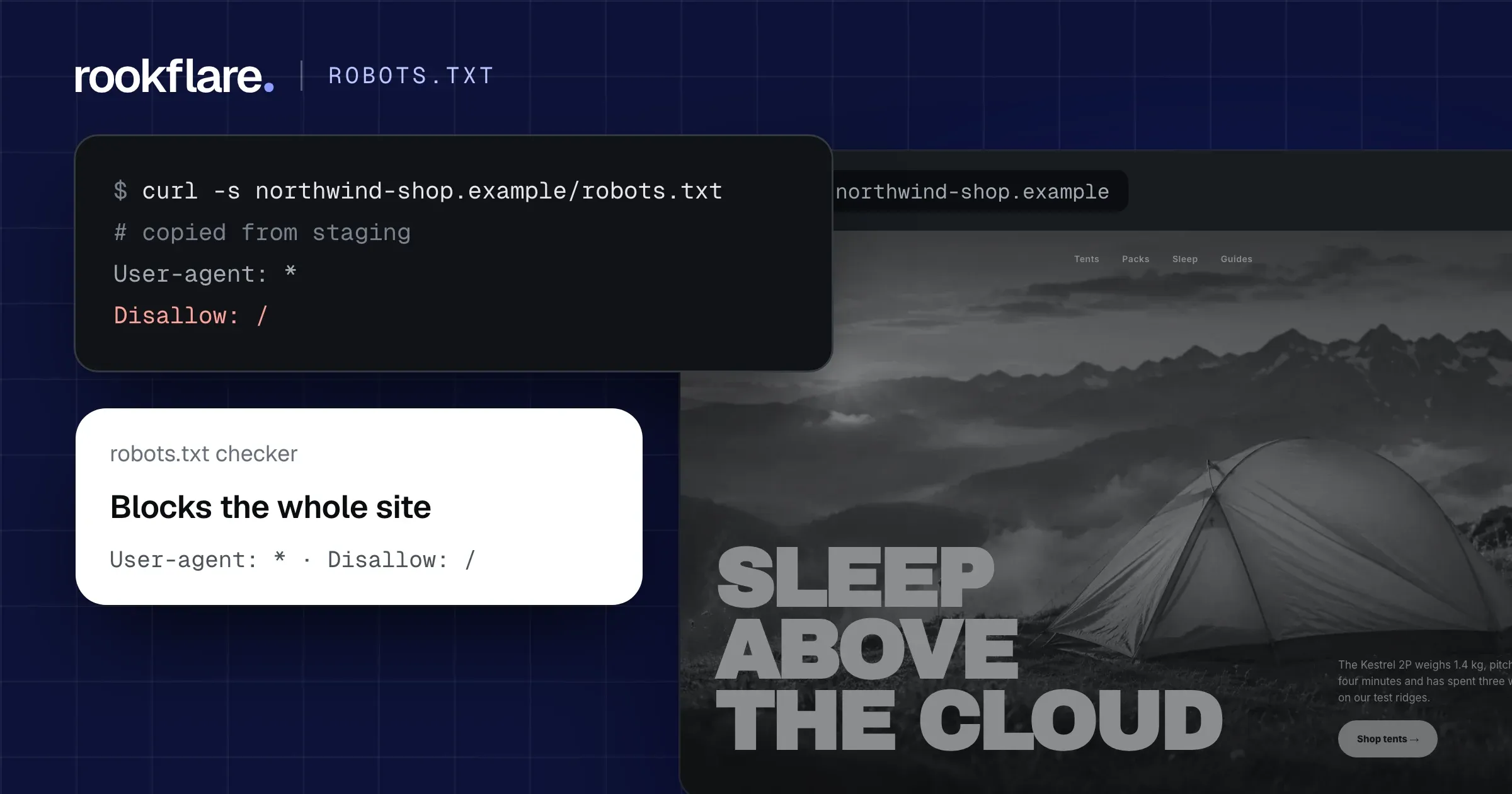
Disallow: / left over from staging
Disallow: / under User-agent: * blocks every URL for every crawler that has no group of its own. Staging sites often carry it, and a deploy that copies the file across takes it to production.
Remove the line, or narrow it to the paths that should stay private:
# Before: copied from staging
User-agent: *
Disallow: /

# After: only private paths blocked
User-agent: *
Disallow: /account/
Disallow: /cart/

Sitemap: https://example.com/sitemap.xml
Then keep the staging rule out of the production build, so the next deploy does not bring it back. The post on SEO regressions after a release covers the other settings that leak from staging the same way.
Using Disallow to hide a page from search
A Disallow rule stops Google from reading a page, not from listing it. Google’s robots.txt specification is direct about it. When other pages link to a blocked URL, Google “may still index the URL and show it in search results without a snippet”.
To keep a page out of search, let Google crawl it and add noindex in the robots meta tag or the X-Robots-Tag header. For a thank-you page, drop Disallow: /thank-you/ from robots.txt and send the header instead, here in nginx:
location /thank-you/ {
    add_header X-Robots-Tag "noindex" always;
}
Anything private belongs behind a password. Google describes the tag and the header in its guide to blocking indexing with noindex.
Disallow and noindex on the same page
A page blocked in robots.txt hides its noindex from Google. In Google’s words, “the crawler will never see the noindex rule, and the page can still appear in search results”.
The usual case is a cleanup. Someone adds noindex to old pages and blocks them in robots.txt at the same time, to be safe. Remove the Disallow until Google has recrawled the pages and dropped them. A noindex line inside robots.txt does nothing either, because Google does not support it there.
A Googlebot group that drops the rules under *
Googlebot follows one group only: the most specific one that names it. Google’s specification says “user agent specific groups and global groups (*) are not combined”. A group added for Googlebot therefore replaces everything under User-agent: * for Googlebot.
User-agent: *
Disallow: /checkout/
Disallow: /account/

User-agent: Googlebot
Disallow: /search
In this file Googlebot may crawl /checkout/ and /account/, because its own group does not repeat them. Copy every rule Googlebot should follow into its group:
User-agent: Googlebot
Disallow: /checkout/
Disallow: /account/
Disallow: /searchCase, wildcards and conflicting rules
Paths in robots.txt are case-sensitive, so a rule must match the URL letter for letter:
# Before: does not block /private/reports
Disallow: /Private/

# After
Disallow: /private/
Field names such as Disallow and the user-agent value are not case-sensitive. That leaves the path as the part that is easy to get wrong.
Two characters have a special meaning: * matches any run of characters and $ marks the end of the URL. Disallow: /*.pdf$ blocks URLs that end in .pdf. Without the $, it also blocks /guide.pdf?download=1 and any other URL that contains .pdf.
When an Allow and a Disallow rule both match a URL, Google uses the one with the longer path. When they conflict otherwise, Google picks the less restrictive rule. So Allow: /blog/ with Disallow: /blog/drafts/ keeps the drafts blocked and the rest of the blog open.
robots.txt that answers with a server error
The status code of /robots.txt matters as much as its content. Google handles each answer differently:
- 2xx: Google follows the rules in the file.
- 4xx except 429: Google acts as if there were no robots.txt and crawls everything.
- 5xx, timeouts and DNS errors: Google stops crawling the site for 12 hours, then uses its last good copy for up to 30 days. After that it ignores the file if the site is reachable.
- Redirects: Google follows at least five hops, then treats the file as missing.
A quick look at the status shows the problem at once:
curl -s -o /dev/null -w '%{http_code}\n' https://example.com/robots.txt
503
The full table is in Google’s specification. A firewall or CDN rule aimed at bots can turn /robots.txt into a 403 or a 503 without anyone touching the file. Check the status, not only the text.
robots.txt on the wrong host
Rules apply only to “the host, protocol, and port number where the robots.txt file is hosted”. https://www.example.com/robots.txt does not cover https://example.com/, http://www.example.com/ or https://shop.example.com/. A file in a subfolder, such as /blog/robots.txt, is ignored.
After a move between www and the bare domain, or a new subdomain, open /robots.txt on every host that serves pages. Each one should answer with the rules you expect.
A file larger than 500 KiB
Google reads the first 500 KiB of robots.txt and ignores the rest. Files that large are usually generated lists of single URLs. One prefix rule replaces the whole list, because a rule blocks every URL that starts with its path:
# Before: one line per filter URL, thousands of lines
Disallow: /shop?color=red
Disallow: /shop?color=blue
Disallow: /shop?color=green

# After
Disallow: /shop?color=
Check your robots.txt in five minutes
Run these checks after a deploy, a migration or a CDN change:
- Print the status code with
curl -s -o /dev/null -w '%{http_code}\n' https://example.com/robots.txt, then the file withcurl -s https://example.com/robots.txt. - Read the
User-agent: *group forDisallow: /, and compare every named group with it. - Compare the blocked paths with the pages that carry
noindex. No page should have both. - Repeat for
www, the bare domain and each subdomain. - Open the robots.txt report in Search Console to see which version Google fetched and when.
The free robots.txt checker does the reading for you. It lists each group with what its rules block, shows which AI crawlers may fetch the homepage, and checks the sitemaps the file lists. Add these steps to your post-deploy checklist so they run with every release.
What Rookflare checks, and what it does not
Rookflare does not watch the robots.txt file itself, so run the checker after every change to it. On every scan, it reads the robots meta tag and the X-Robots-Tag header of each monitored page. It opens an issue when a page has noindex or answers with an error status. The website health monitoring page lists every check.
Questions
Does robots.txt remove a page from Google?
No. It stops crawling, and a blocked URL can stay indexed without a description. Use noindex on a page Google can crawl, or a password, to keep it out.
How long does Google take to see a robots.txt change?
Google generally caches robots.txt for up to 24 hours, and longer when it cannot fetch a fresh copy. After an urgent fix, the robots.txt report in Search Console lets you request a recrawl.
Does Google follow Crawl-delay?
No. Google ignores crawl-delay. Its crawlers read user-agent, allow, disallow and sitemap only.
Share this article

Written by
Dalius Pamedytis
CEO of Rookflare
Dalius is the CEO of Rookflare and the engineer who builds it, from the Playwright scanner that captures every page to the dashboard where you review what changed. Day to day he also works on large marketing websites and dashboards, so he has seen how a quiet release can break a checkout button or a sign-up form. He writes about what actually breaks on real websites and the simplest way to catch it before your visitors do.
More from Dalius PamedytisKeep reading
-
SEO
Redirect chains after a site migration: how to check them
Search engines, bookmarks and backlinks still use your old addresses. How to collect them, test every hop in bulk, read the results and fix the chains a migration leaves behind.
-
SEO
Noindex after a release and other SEO regressions to check
A staging setting that reaches production can take pages out of search for weeks before anyone notices. The five regressions to check after every release, a terminal check and a console check for JavaScript sites.

