Skip to content

Visual monitoring

See exactly what changed on a page

Rookflare compares every new screenshot with the one your team approved. Changed areas are outlined and numbered, so a broken layout is clear at a glance and a planned redesign is accepted with one approval.

Websites Northwind Shop https://northwind-shop.example/

https://northwind-shop.example/ Needs review

Baseline Oct 20 → this scan today 09:12 · 9.9% of pixels changed

Demo · simulated change
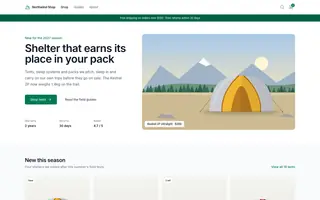
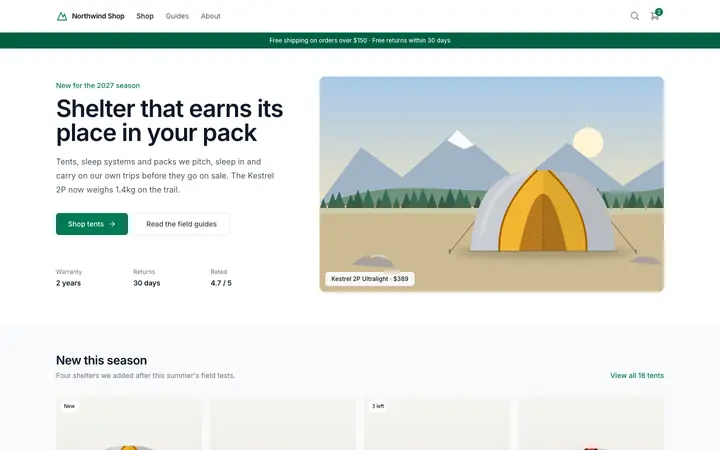
Northwind Shop home page, approved baseline
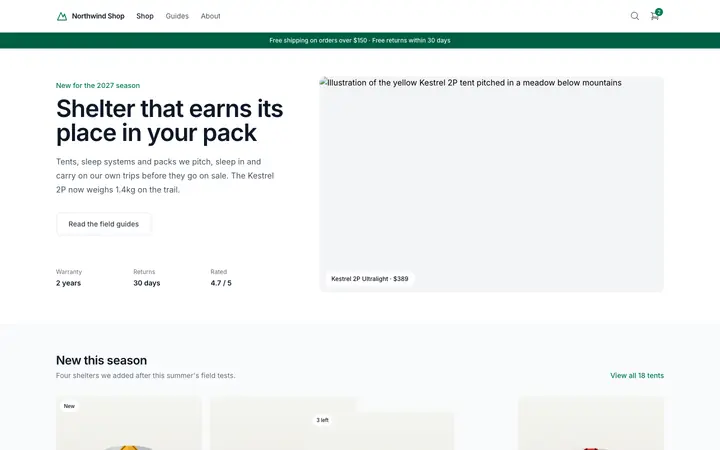
Northwind Shop home page, today's capture with the changed areas numbered as in the list next to it
Approved baseline · Oct 20 Current · today 09:12

Drag the handle, or focus it and use the arrow keys.

Changed areas (6)

Desktop · compared with baseline v14

Changed areas (4)

Mobile · compared with baseline v14

The baseline stays as it is until someone approves this scan.

How visual monitoring works

From screenshot to approved baseline

Each scan captures the page, compares it and waits for a decision. Nothing about your baseline changes until someone approves it.

Comparison

Numbered boxes on every changed area

The new screenshot is compared with the baseline, even when content above it moved. Areas that differ are grouped, outlined and numbered, the largest first.

  • The share of changed pixels is shown for each scan
  • Split, slider, diff and flip views keep your zoom and position
  • Step from change to change, each one brought into view and aligned on both screenshots
  • Ignore an element and see how many changes it hides before you save
  • Each area is listed with where it is on the page and its size
https://northwind-shop.example/tents/ Desktop Demo · simulated change 17 regions

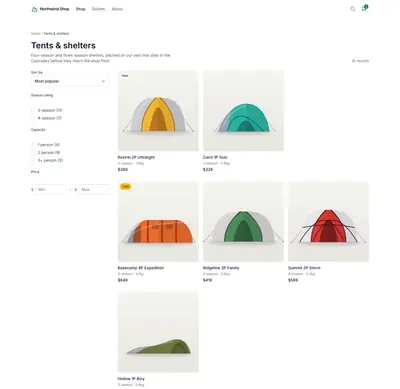
Approved baseline · Oct 20
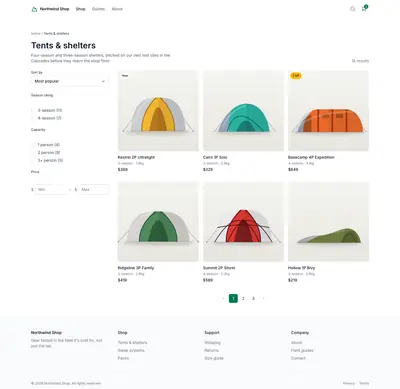
Northwind Shop tents page, approved baseline

Current · today 09:12

Northwind Shop tents page, today's capture: one product card wrapped onto a new row

Desktop and mobile

Layouts that break only on phones

By default, every page is captured at 1440 and 390 pixels wide and compared with the baseline for that width.

  • Both captures count as one monitored page
  • Mobile-only changes are labelled as such

1440 × 900

Northwind Shop home page at 1440 pixels, unchanged No change

390 × 844

Northwind Shop home page at 390 pixels with the menu open over the headline

Baselines

Your team decides what the new normal is

Approve a change and it becomes the new baseline. Mark it as expected and the baseline stays as it is. Every baseline keeps who approved it and when.

  • Version history for every page
  • Approved baselines are kept for as long as the page is monitored
  1. Scan, today 09:12 3 changes Approve v15 Today, approved by Mia K. Baseline
  2. v14 Oct 20, approved by Tom R.
  3. v13 Oct 2, approved by Tom R.

FAQ

Questions

Something missing here? Send us a message

Is every visual change treated as an error?

No. A visual difference is marked as a change that needs your review, never as a confirmed failure. You decide whether it was expected: approve the new screenshot as the baseline, mark the change as expected, or fix the page.

What is a baseline?

The baseline is the screenshot of a page that your team approved. Every new scan is compared with it. It only changes when someone approves a new screenshot as the baseline.

What happens when a page looks different?

Rookflare opens an issue that needs review, with the changed areas outlined. Someone on your team approves the new screenshot as the baseline or marks the change as expected. If the change is a mistake, fix the page and the issue resolves when it matches the baseline again. Technical failures such as a 500 response open an issue straight away.

Are pages captured on mobile too?

Yes. By default, every monitored page is captured at 1440 pixels and at 390 pixels wide, and each capture is compared with its own baseline. Both captures count as one monitored page.

Start monitoring your website

Add your address, pick the pages and approve the first scan as your baseline.

Plans start at €19 per month. Prices are provisional.